TuneFI Studio
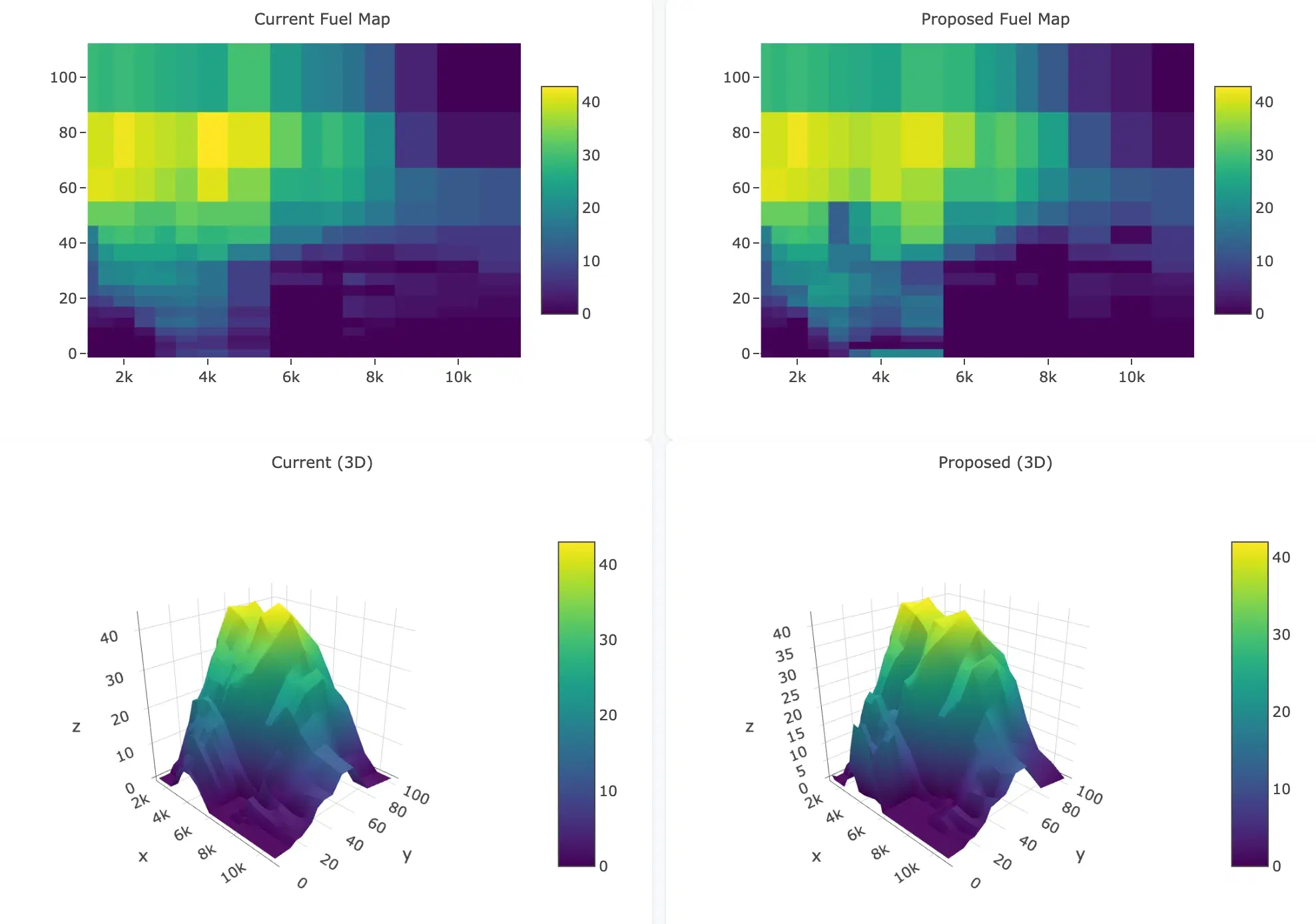
Turn ride logs into a fuel map — in your browser. Nothing to install, no account, and your logs never leave your machine: Studio runs entirely client-side. Set the AFR you want, and it solves a corrected map for your bike.
Open TuneFI StudioHow it works
- 01
Ride & log
Log a normal ride with your TuneFI — you want throttle and RPM coverage across the map, not hero laps. Pull the log out of the app as CSV.
- 02
Upload & set targets
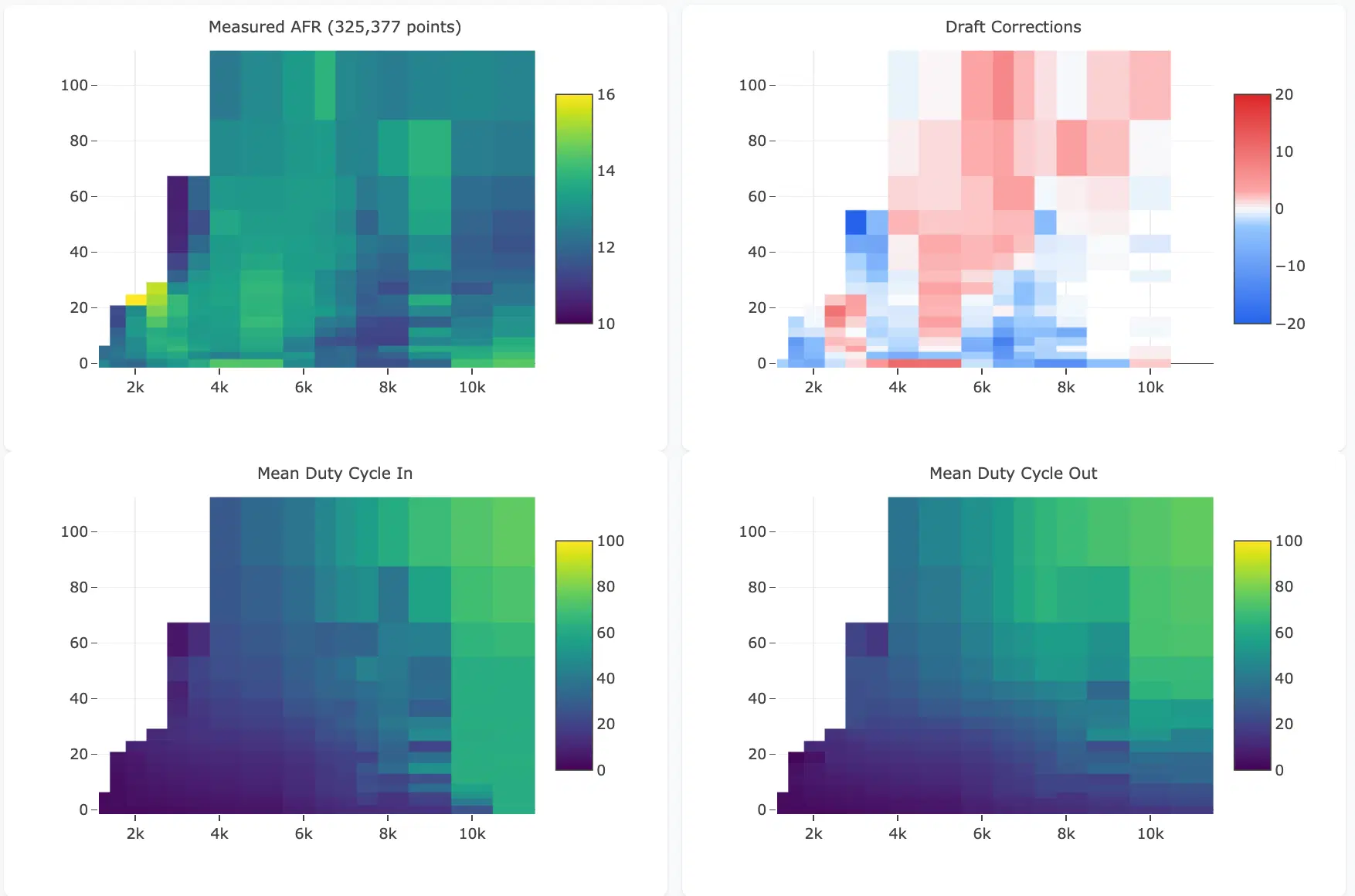
Drop the log into Studio and set the AFR you want. Studio computes a per-cell correction with a safety margin: sparse cells are pulled toward target, and wide variance biases rich.
- 03
Export & load
Download the proposed fuel_map.json, load it on the device, ride, verify. Iterate — each log sharpens the map.
What you need
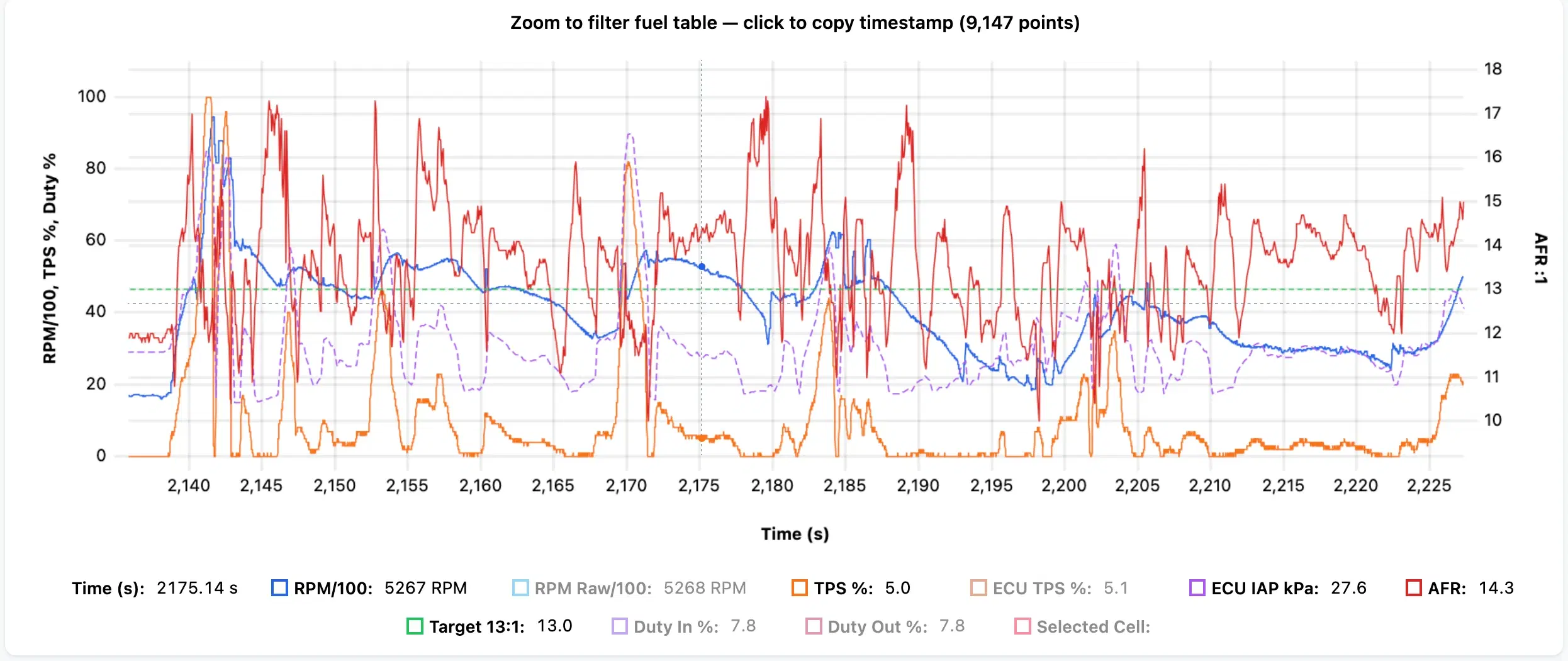
Any TuneFI — logs alone open the full analysis: time series, RPM/TPS heatmaps, AFR histograms, 3D surfaces.
A wideband for auto-mapping — a Spartan wired digitally, or any analog unit on AN1. With the AFR dimension in your logs, Studio proposes a map for your AFR targets. This is the payoff of the second stage.
A desktop browser. It's a mouse-and-keyboard tool — the phone app stays on the bike.
Shared map or your map?
If your setup matches one on the fuel maps page, load it — it's already ridden-in. Then log your own rides and let Studio converge on your bike. No match? One good wideband ride is enough to generate a map from scratch.
Maps are starting points — rich is safe, lean is not. Verify AFR before riding hard. Built a map that works? Email it to dmitry@planetklx2.com and it becomes the next shared map.